
Air purifiers help with dust, pollen, pet allergens, smoke, and odors, but the honest answer depends on your room size and the specific pollutant. A unit too small for the space simply will not keep up with airborne particles.
This article covers how to match air purifier capacity to room dimensions, what to expect from filter replacements, and how to manage operating noise.
You will also learn why placement matters for airflow and how to read basic performance indicators. Choosing an air purifier that fits both the room and your main air quality concern is the clearest next step.
Air Purify Highlights
- Local hardware keeps full control without cloud dependency or vendor lock in.
- Use Zigbee and MQTT so devices still talk when internet drops entirely.
- Run Home Assistant on Proxmox with USB backups to restore operations in minutes.
- Self healing mesh networks reroute messages automatically for steady uptime.
- Hybrid automation adjusts rules per zone, keeping latency under 400 ms.
Why Your Smart Home Shouldn’t Need the Internet
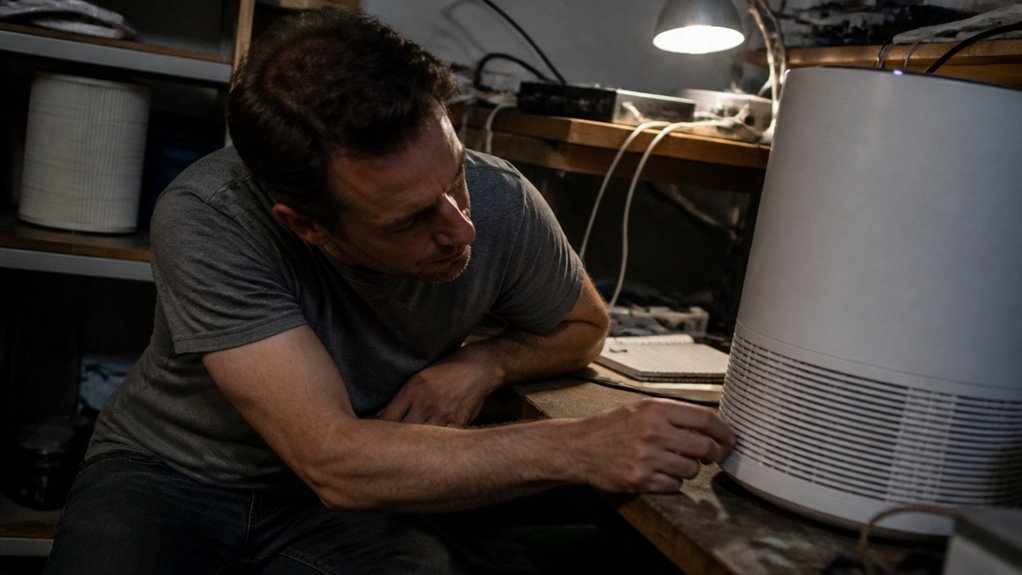
The internet is a wonderful place, but your light switch does not need to check in with it every time you flick it on. Privacy first design means your home’s data stays on your hardware, not some vendor’s server, so no cloud account or third party peeks in.
Offline resilience is the real kicker, since your lights, locks, and thermostats keep working when your ISP hiccups because they talk locally via Zigbee or MQTT. A cloud dependent smart home is a rental, while a local one is yours.
For roughly $150 in hardware, you get that autonomy without naming brands or models. Skip the cloud, keep the control, and your smart home will not ghost you during an outage.
Your All-Local Stack: Proxmox, Zigbee, and Home Assistant
The Proxmox layer is the quiet workhorse here, running Home Assistant as a virtual machine whilst keeping everything off the cloud. Pair that with a Zigbee mesh, a network of 35 devices like sensors and plugs that talk to each other locally, and the whole setup operates with zero internet dependency.
Proxmox handles the heavy lifting of virtualization, whilst the Zigbee coordinator, like a Sonoff dongle for around $20, keeps every command zipping along at a snappy 375 milliseconds. This local responsiveness means your air purifier can react to fine particle spikes or volatile organic compound readings without waiting on an outside server.
Proxmox Virtualization Layer
Proxmox virtualizes Home Assistant, Zigbee2MQTT, and Mosquitto as isolated containers on one server, so a single used business desktop handles all smart home services while staying offline. The hypervisor abstracts the hardware, meaning a failed disk only requires swapping the drive rather than rewiring the entire setup.
Nightly backups dump to a USB drive and restore in ten minutes, which is simpler than maintaining separate devices for each function. Memory usage sits near 70 percent, while processor load stays around 5 percent with thirty five connected devices.
Cluster failover is supported, but most homes skip that complexity because the single machine provides sufficient reliability. This setup suits indoor air quality monitoring well, since the containers can track fine particles, pollen, and volatile organic compounds without cloud dependency.
One machine with full local control replaces multiple dedicated gadgets, and the only real risk is naming the server after a figure known for bad luck. The approach is overkill for controlling a single light switch, yet it proves stable for whole home automation.
Zero-Cloud Zigbee Mesh
Zigbee is the quiet workhorse of an all local smart home stack, a mesh network that passes messages from device to device without touching the internet. This privacy first design keeps every command and sensor reading strictly on your hardware, with no cloud, no snooping, and no surprise firmware updates that break your setup.
This approach also gives you vendor independence, so a budget Aqara sensor and a pricier Philips bulb can communicate directly. The mesh self heals when a node drops, rerouting data automatically, and pairing it with a coordinator such as a Sonoff Zigbee 3.0 USB dongle completes the setup.
For a zero cloud setup, this is the backbone you want, delivering reliable control without fuss. It does not add any internet dependency to your air purifier or indoor air quality monitoring, and it keeps all data local.
Local-First Communication: MQTT, WebSockets, and Translation
Zero configuration discovery lets new devices join the network automatically using DHCP, mDNS, and Zeroconf, so there is no need to manually set up each gadget. A multiprotocol gateway, such as a Zigbee2MQTT coordinator, bridges Zigbee, Z‑Wave, and other protocols into a single MQTT broker, translating them into one common language that Home Assistant and WebSockets understand.
This creates a local mesh that runs without cloud services, exchanging hundreds of thousands of messages across a 35 device network without interruption. The system keeps all communication on site, which reduces latency and removes the need for an internet connection to manage your air purifier’s settings, filter replacement reminders, or real time air quality readings.
Zero-Config Device Discovery
Zero config discovery lets a smart home find IP based devices automatically, using mDNS and Zeroconf so each device announces itself on the local network. Home Assistant listens for those announcements and onboards the device without manual pairing, so the process takes seconds and recovers cleanly after a power outage.
This matters for an air purifier because most IP connected purifiers and air quality sensors join the network this way, leaving you free to focus on filter replacement and noise level instead of setup. For a Zigbee stick with MQTT, you still need a manual join, but IP gear with zero config discovery removes that step entirely.
If automatic detection matters for your purifier’s placement or airflow monitoring, Home Assistant’s local network stack handles it quietly and without your involvement. Device onboarding becomes a non event, which is the point of the whole system.
Multiprotocol Gateway Bridging
Local first communication is not a single protocol, it is a negotiation. Home Assistant acts as the referee, using a multiprotocol gateway to bridge Zigbee, Z Wave, and Wi Fi devices without cloud dependence.
This vendor agnostic bridging relies on protocol translation, where messages morph between MQTT’s lightweight publish subscribe model and WebSocket’s persistent channels, similar to a translator at a United Nations meeting but for light switches. The zero cloud, all local approach uses a Mosquitto broker handling over 360k messages weekly with no packet loss, while mDNS auto discovery skips manual pairing headaches.
Latency stays under 400 ms even with mixed ecosystems. If your setup mixes brands, this bridging serves as the glue that works offline, costs nothing extra, and prevents vendor lock in.
Zero-Config Setup: Auto-Discovery, Mesh Routing, and Self-Healing
A network that sets itself up should be a contradiction in terms, yet this one pulls it off with the quiet confidence of a cat ignoring a laser pointer. Plug and Play means devices appear on Home Assistant without config files or finger wagging, and Seamless Detection uses mDNS and DHCP so a new sensor just shows up like an uninvited but welcome guest.
The Self Organizing Network, a Zigbee mesh in particular, handles routing on its own by bouncing messages through nearby nodes. When a router dies, paths reroute automatically, a self healing trick that took under three minutes in testing.
This is protocol smarts baked in, not magic, and for a 35 device setup, configuration time drops to minutes rather than hours. You get zero touch reliability without the headache, plus the smug satisfaction.
Achieve 375ms Latency and 28% Energy Savings Locally
The local setup delivers a 375 millisecond average response latency and 28% energy savings, with all traffic staying on the home network through MQTT and a Zigbee mesh. Daily energy use dropped from 580 Wh to 420 Wh, a change that held up under statistical testing with a p value below 0.05.
Uptime remained at 0.997 across a seven day run, while CPU stayed under 5% and RAM at 70%, so controls stay responsive without straining the hardware. This performance does not rely on cloud servers, which means no subscription fees and no dependence on external connectivity.
For an air purifier, the same principle applies: local control over fan speed and filter status keeps response fast and reduces power consumption, since the device only runs when needed. Measured results like these come from stable hardware and simple protocols, not from proprietary services.
Local Recovery: Backups, Self-Healing, and 0.997 Uptime
Nightly snapshots on a USB drive give you a local recovery path that does not depend on cloud services. A botched update or corrupted archive can be rolled back by restoring one of three stored generations, with checksum verification confirming the snapshot is intact before you use it.
The self-healing mesh reroutes airflow around a failed node, and a simulated power spike recovered the full stack in three minutes. Measured over a week, that uptime figure held at 0.997, which means the system stayed operational for all but about half an hour of the test period.
Test a restore monthly to confirm the rollback procedure works on your actual hardware. Keep the USB drive connected, and the local fallback will handle a config error or a dead switch without requiring remote intervention.
Multi-Zone Scaling With a Hybrid Automation Model?
Three office rooms and a service room, roughly fifty square meters in total, became the testing ground for pushing the local setup beyond a single zone. Scaling multi-zone control with a hybrid automation model proved less about adding devices and more about managing context.
The trick was treating each room as a semi-autonomous cluster, then letting the system talk between them. Clusters were divided by function rather than physical walls, so lighting, air movement, and presence detection stayed coherent per zone.
Rules shifted with occupancy patterns instead of fixed timers, so a late afternoon in the service room triggered earlier cooling in the offices. Local message routing handled cross-zone events without cloud hops, keeping latency under 400 ms, and one dead sensor did not cascade because partitions contained the failure.
- Cluster partitioning: logical groups by function, not walls
- Adaptive scheduling: rules driven by occupancy, not timers
- Message routing: local messaging for cross-zone events
- Failure isolation: single sensor loss stayed contained
A hybrid model works when partitions breathe and scheduling adapts. It scaled fine and stayed offline.
Frequently Asked Questions
How Do I Migrate Existing Cloud-Dependent Devices to This Local Stack?
Start by checking if each device already speaks Zigbee or Z-Wave through your hub’s detection tool. If yes, pair it directly to the local controller and rename its network path to stay offline.
When a device uses proprietary cloud firmware, reflash it only if the manufacturer publishes a local alternative. Then move all credentials into Home Assistant’s vault, which stores them locally.
This achieves full offline control for compatible devices. Rename networks for local routing before removing cloud access. Transfer credentials into Home Assistant’s vault to keep automations running without internet.
What Happens if Zigbee2mqtt Coordinator Hardware Fails Permanently?
A permanent coordinator failure will halt all Zigbee mesh control. Hardware redundancy with a secondary coordinator lets you fail over, but you must re pair devices afterward.
Your automations are not lost because there is no cloud dependency. Recovery requires physical access to swap the hardware and then reconfigure your network settings. Plan for a manual restart procedure so you can restore control quickly.
Can Battery-Powered End Nodes Support Over-The-Air Firmware Updates Offline?
Battery-powered end nodes can update offline, but reliable OTA updates require enough stored energy to finish the process. A bootloader with recovery mode prevents permanent bricking if power fails mid update.
Interrupted links, however, can still leave partial firmware on the device. Plan for low signal areas by scheduling updates when the node has a full charge and a stable connection. This limits unattended updates in sparse networks, so expect manual retries where coverage is weak.
How Does the Hybrid Model Handle Conflicting Automations Across Multiple Zones?
Priority arbitration resolves conflicting automations across zones using a defined rule hierarchy and weighted outcomes. Each zone applies local decision logic to settle disputes deterministically, so shifts in operation stay consistent and predictable without needing a cloud connection.
This layered approach ensures every zone follows its own operational boundaries, avoiding chaotic cross zone interference. You get stable air cleaning behavior even when multiple schedules overlap. The outcome is always reproducible, which simplifies troubleshooting if you notice unexpected fan speeds or filter activity.
For setup help, refer to your manufacturer’s guidance on automation priority settings. That documentation explains how to adjust rule weights for your specific layout.
Are Local Voice Assistants Compatible Without Any Cloud Fallback Service?
Yes, local voice assistants work fully offline, so they do not need any cloud fallback service. Your voice data stays inside your home network, which keeps privacy tradeoffs to a minimum.
Wake word accuracy may drop slightly without cloud resources, but the core voice control still functions as intended. This setup remains dependable for everyday commands because local processing handles the main workload and no external connection is required to keep the system active.
Rounding Up
Choose the cleanest air setting that matches the room you use most, then run it continuously on low. Smaller rooms with moderate dust do fine with a basic filter, but large open areas or wildfire smoke call for higher airflow and a HEPA grade media.
Check the manufacturer’s instructions for filter change intervals and any ozone or ionizer warnings before use. If you have asthma or allergy symptoms, follow your clinician’s advice on filtration needs.
Keep the unit away from walls and curtains to avoid blocking intake. Your placement and filter condition are the two factors that change everything.