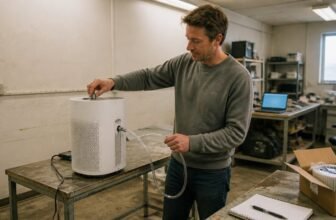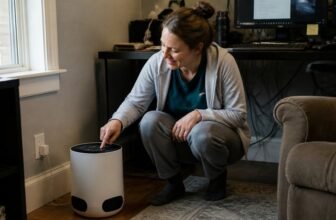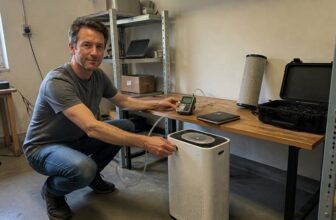
If you are noticing more dust, pollen, or lingering household odors, your air purifier’s filters are likely due for a change. Replacing them on schedule is the core fact you need for maintaining cleaner indoor air.
Whether you need both filters now depends on your unit’s usage and the specific pollutants you are targeting, but a yearly routine is a solid baseline.
This article will guide you on filter replacement timing, indicator resets, and what to check before ordering a new set.
Choosing an air purifier that matches your room size and primary pollutants is your best next step.
Air Purify Highlights
Getting the 1 year pack gives you one HEPA and two carbon filters for twelve months of coverage.
Check your unit’s side or back for the serial codes listed before you buy any replacement filters.
Hold the Reset button for two seconds, then tap it again for the Odor or HEPA indicator.
You replace the HEPA filter once per year, while each carbon filter gets swapped out every six months.
Buying the pack saves you money compared with purchasing each filter separately, and you avoid tracking different purchase dates.
Check Your Coway Serial Code First
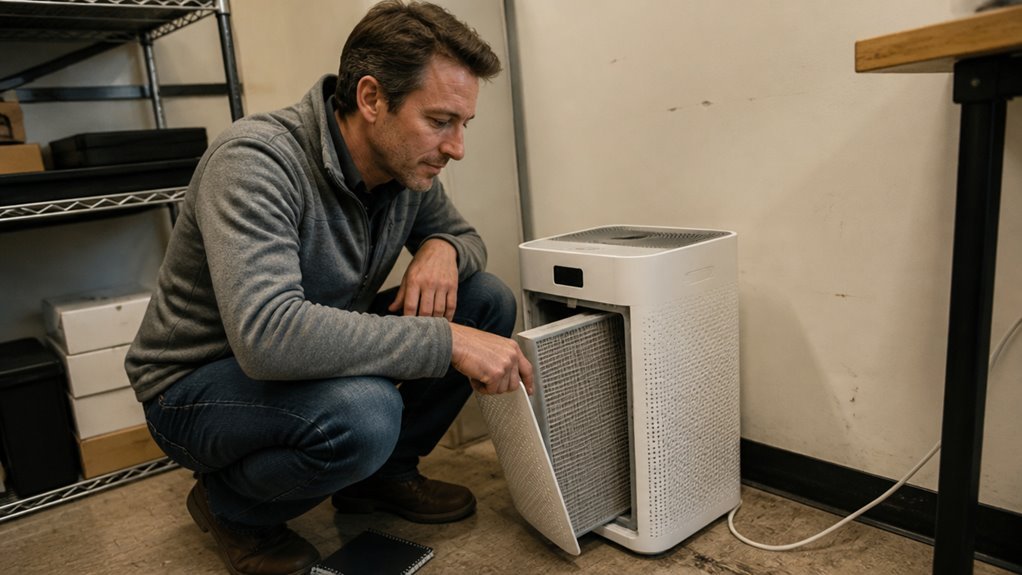
A serial code check is your first move before buying this filter pack. Coway built a safeguard where the first three digits after the model number must match one of three codes: 02E90, 02FI6, or 02EMY.
Miss that match, and the filter might not fit even if the box looks right. Find the serial sticker on your unit’s side or back, note the digits, and compare them.
No app or phone call is needed, just a quick glance at the label. This ten second check prevents a return headache later.
Skip the check and you risk a mismatch; do it and you are set. This 1 year pack contains two carbon filters plus one HEPA filter, and it works only with AP 1512HH, AP 1512HH(W), and Airmega 200M units.
Verify the code first, then buy with confidence.
AP-1512HH GreenHEPA vs. Carbon Filter Duties
This filter pack performs two separate jobs, with each filter type handling a distinct class of pollutants. The GreenHEPA filter captures particles like dust, pollen, and pet dander at 99.97% efficiency, and its preservative coating resists mold growth over its 12 month service life.
The carbon filter targets odors and gases, including cooking smells and paint fumes, using activated carbon to absorb volatile organic compounds quickly, with lab tests showing odor absorption in under 30 minutes. These two filters run on separate replacement schedules, with the HEPA filter lasting one year and the carbon filter needing replacement every six months.
- GreenHEPA: particle capture, 12 month lifespan, 0.03 micron filtration
- Carbon filter: odor and gas removal, 6 month lifespan, VOC reduction under 30 minutes
- Prefilter: large debris capture, clean every 2 to 4 weeks, reusable and washable
One pack covers a full year of particle and odor control across both filter types. Monitor the unit’s indicator lights to know when each filter needs attention.
Why the 1-Year Pack Beats Buying Two Separates
The 1-Year Pack removes the guesswork from filter replacement. Since the carbon and HEPA filters run on different schedules, buying them separately means tracking two purchase cycles and risking an expired carbon filter while the HEPA still works.
This bundle includes one HEPA filter and two carbon filters, which covers the exact needs of a 12 month period. The pack also cuts costs, since it typically sells for less than buying singles twice with separate shipping fees.
One order and one delivery eliminates calendar math and reordering panic. You replace the carbon filter at six months, then the HEPA filter six months later, and the timeline aligns without gaps.
Buying two separate filters may feel flexible, but it rarely ends up cheaper. For most owners, the pack is the straightforward choice that keeps the purifier running without extra effort.
Reset the HEPA or Odor Light in 4 Steps
Resetting the HEPA or Odor light takes about thirty seconds once you know the sequence. Start by replacing the old filters, because the reset only clears the indicator, not the actual filter condition.
Press and hold the Reset button for two seconds to clear the active LED. If the light stays on, use the filter timer override by holding Reset for two seconds again, then tap once for the Odor light or twice for the HEPA light.
Hold Reset for two more seconds to erase the timer. The pollution indicator stays off during this process and cancels after five seconds of inactivity, so you do not need any special tool or hidden code.
Frequently Asked Questions
Can I Wash the True HEPA Filter With Water?
No, washing it with water is unsafe and will permanently damage the filter. Water causes the electrostatic charge to drop and alters the hydrophobic fibers, so it can no longer trap particles effectively.
Use a vacuum with a soft brush attachment to remove dust and debris from the surface. Drying does not restore function, and cleaning this way voids the warranty, so discard and replace the filter.
For specific cleaning guidance, check the manufacturer’s instructions before attempting any maintenance. Replacement keeps your purifier working as intended for better indoor air quality.
Will This Filter Pack Fit My Airmega 200M Model?
Yes, this filter pack fits your Airmega 200M model. The compatibility check confirms it works with model numbers B01728NLRG, B00BTKAPUU, B08LSC9HLS, and B0856PHMMK.
Match your unit’s model number against that list before ordering. This pack includes both the prefilter and the HEPA filter, so you can replace them together for clean airflow.
If your unit’s model number is not listed, check the manufacturer’s official guidance. That ensures you get the exact filtration parts your purifier needs.
How Often Should I Clean the Reusable Pre-Filter?
Clean the reusable prefilter every 2 to 4 weeks for best airflow and filtration. Regular washing keeps dust and allergens from recirculating, which directly supports your allergy relief at home.
This simple habit also extends the life of your main HEPA filter. Clean the prefilter more often if you have pets or live in a dusty area, as the air intake will load faster. Always check the manufacturer’s instructions for the proper drying method before reinstalling it.
What Does the MERV 13 Rating Actually Mean?
A MERV 13 rating means the filter captures at least 85% of particles sized 1.0 to 3.0 microns, and over 50% of those between 0.3 and 1.0 microns. This places it in the high efficiency range for typical residential air cleaning.
For allergens like pollen, dust, and pet dander, this rating offers strong protection against common indoor pollutants. It does not, however, match the capture rate of a true HEPA filter for the very finest particles.
Choose a MERV 13 filter when you want better particle capture than standard options without the airflow restriction of a HEPA filter. The rating reflects its ability to reduce airborne irritants, not its gas or odor removal.
Is the $29 Price Still Available Anywhere Now?
The $29 price is no longer active, and both noted deals have expired. Current price tracking shows no availability at that rate anywhere.
Set up price alerts on Amazon and Walmart to catch a future drop. Monitoring beats chasing expired deals, since a confirmed higher price now is more useful than a stale discount.
Rounding Up
Replace both filters once a year so the cleaner keeps working as intended.
If the unit runs constantly, you use it near heavy cooking, or you notice less airflow, change them more often.
Follow the reset light steps and the filter replacement instructions in your owner’s manual to avoid errors or damage.
Keep the prefilter clean between swaps, and place the unit with at least a foot of clearance on all sides.
That clearance, plus yearly filter changes, matters more than any other setting.