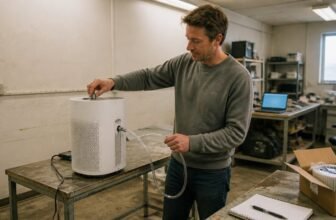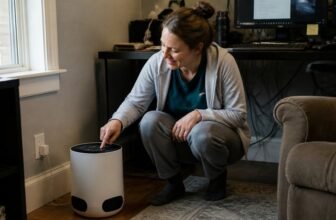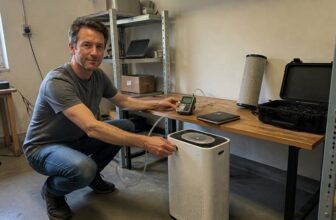
Concerned about dust, pollen, pet allergens, or smoke in your home? Do air purifiers really work, and what does lab science actually prove about them?
Yes, they genuinely work, but the honest answer depends on how you choose and use the unit. This article covers why your filter’s efficiency matters less than you think, and why fan power and runtime are the real heroes.
You will learn how placement near your breathing zone affects results. Choose a purifier that matches your room size and the specific pollutant you want to tackle.
Air Purify Highlights
- Lab tests show purifiers hit 35% filter efficiency at best, not 99%, because airflow and capture trade off.
- Match the purifier’s CADR to your room size so smoke, dust, and pollen each get filtered properly.
- A thicker HEPA filter blocks fan airflow, so a lower single pass efficiency can clean more total air.
- Run the purifier for more than the average under 25% of yearly hours, since it only works while powered.
- Real bedrooms see fine particles drop by 30 to 50%, so expect modest gains versus lab numbers.
What Is CADR and How Is It Calculated?

The Clean Air Delivery Rate, or CADR, is the most useful single number on an air purifier’s spec sheet, but people often read it wrong. It multiplies the airflow through the filter, in cubic feet per minute, by the filter’s particle capture efficiency to give one number for a specific room size.
That number depends heavily on particle size, so you will see three CADR values for smoke, dust, and pollen. Tiny smoke particles are harder to trap than large pollen grains, so a high smoke CADR indicates better real world performance for general air quality.
Match the CADR to your room’s square footage instead of chasing one big number. A higher CADR means faster cleanup, but always check the fine print for which particle size the rating applies to.
Why a Thicker HEPA Filter Can Lower CADR
A thicker HEPA filter can lower CADR because filtration efficiency and airflow trade off against each other. Thicker media catches more particles per pass, but it also restricts the fan, reducing the cubic feet per minute of clean air delivered to the room.
For most fan and filter combinations, the best balance falls near 35% filtration efficiency. Going thicker than that wastes fan power without meaningfully improving the air you breathe.
Optimal Thickness Exists
Many shoppers assume that stacking in the thickest, priciest HEPA filter automatically equals the best cleaning. Lab tests show a sweet spot exists, where more filter material actually chokes airflow.
That trade off is the heart of clean air delivery rate optimization, which balances capture rate against cubic feet per minute. Going thicker boosts single pass efficiency, yet the fan fights harder, often dropping total clean air delivery.
Optimal CADR lands at roughly 15 to 55 percent filtration efficiency, not 99 percent. Maximum filter thickness raises resistance, slashing airflow and total CADR.
Slightly thinner filters preserve fan speed, boosting real world performance. Choosing the optimal thickness extends filter service life, since less particle buildup clogs pores.
Filtration Efficiency vs. Airflow
A premium, thick HEPA filter can reduce an air purifier’s clean air delivery rate (CADR) because airflow matters as much as filtration efficiency. CADR multiplies the fraction of particles captured by the volume of air moved, so a dense filter that chokes the fan can lower cubic feet per minute and hurt overall performance.
Research on air purifier design shows that peak CADR often occurs at roughly 35% efficiency, not at 99.97%. Thicker media also clogs faster, since it has less space for particle loading, which shortens filter life and raises replacement costs.
Match filter thickness to your fan’s power, and ignore premium HEPA upgrades if they restrict airflow. Check the CADR rating rather than relying on the marketing label, because a high efficiency score alone does not guarantee clean air delivery.
How Fan Power Shifts the Optimal Filter Thickness
Raising fan power keeps the same fundamental rule: every filter and fan pairing still has one sweet spot for maximum clean air delivery, but that sweet spot moves. A stronger fan shifts the ideal filter thickness thinner, yet the peak efficiency stays near 35% across wattages from 2.7 to 23.4 W in lab tests.
Fan dynamics reshape pressure drop, so a thicker filter chokes more airflow at high speeds, pushing the optimal thickness down. A slightly thinner filter also accumulates less dust, which extends its lifespan without reducing clean air delivery rate.
The benefit of matching fan power to filter thickness is real but modest, roughly a 10% CADR gain over an untuned pairing. This tuning beats maxing out either the fan or the filter alone, so resist the instinct to go bigger on either component.
The 35% Filtration Efficiency Sweet Spot for Maximum CADR
The best clean air delivery rate comes from a filter that catches roughly 35 percent of the hardest particles, not one that catches everything. Pushing filtration beyond this point reduces airflow, and total clean air equals efficiency multiplied by airflow, so the balance peaks near that 35 percent mark.
A thicker filter traps more but chokes the fan, which lowers the practical output in a real room. At 35 percent efficiency, a filter delivers 52.5 cubic feet per minute of clean air at 150 cfm of airflow, while a 99 percent HEPA like filter reaches 69.3 cfm but only at 70 cfm of airflow.
The higher raw number from a HEPA filter does not hold up on the most penetrating particles, those in the 200 to 400 nanometer range. A 35 percent efficiency design gives consistent results across fan speeds, and replacement filters cost less.
- 35 percent efficiency: 150 cfm airflow, 52.5 CADR
- 60 percent efficiency: 110 cfm airflow, 66 CADR for larger particles but lower for fine dust
- 99 percent efficiency: 70 cfm airflow, 69.3 CADR, but weaker on the toughest particles
Choose the 35 percent sweet spot instead of chasing laboratory ratings for maximum clean air delivery rate. This approach keeps airflow strong, keeps replacement costs low, and matches real world performance better than a filter designed for perfection.
Why Runtime and Placement Beat Lab-Rated Efficiency
People rarely run their air purifiers, and that single fact decides whether the unit actually cleans anything. Lab rated efficiency means nothing when the machine sits off in a corner collecting dust bunnies instead of pollen.
Operational habits, such as how often you turn the unit on and where you place it, matter more than the clean air delivery rate. A purifier in a closet cleans nothing, so put it near your breathing zone, about three feet off the floor.
Run the unit continuously, not just when you smell smoke. Most people average under 25% of yearly hours of operation, which gutters the real world performance.
Keep windows shut while the purifier runs because open ones flood in outdoor particles faster than any filter can catch. Change filters on schedule because a clogged one drops airflow and reduces effectiveness.
- Place the unit near your breathing zone, three feet off the floor.
- Run it continuously, not just when you notice odors.
- Close windows during operation to limit incoming fine particles.
- Replace filters on schedule to maintain airflow and particle removal.
Choose a modest unit with a HEPA filter and run it constantly in a smart location. That approach beats a fancy lab rated machine you ignore.
How Much Pollution Air Purifiers Actually Remove in Homes?
A HEPA purifier in a real bedroom typically cuts fine particle levels by 30 to 50 percent, not the 99 percent claimed on the box. Lab tests show a 65 percent reduction in simulated germs, but filter aging clogs pores and cuts airflow, while footsteps resuspend settled dust back into the air.
Running the unit 24/7 is essential, because intermittent use lets particle levels rebound quickly. Placement matters too, with a spot near the bed helping more than one by a window.
For allergy sufferers, this modest relief justifies a purchase in the typical $150 to $300 range. You are buying measurable improvement, not a sterile bubble, since everyday activity like walking around the room undoes some of the work.
Frequently Asked Questions
Can Air Purifiers Remove Odors and Gases?
Air purifiers remove odors and gases only with activated carbon filters, yet efficacy varies widely. Carbon filter quality and thickness determine how much they can adsorb. Volatile organic compounds have removal limits, because standard CADR tests ignore gas phase pollutants. Real world performance stays uncertain, so match the carbon filter to your specific odor source. For heavy chemical loads, seek additional ventilation alongside your purifier.
How Often Should I Replace the Filter?
Filter lifespan varies by usage, but for most homes, plan on replacing particulate filters every 3 to 6 months. Replacement reminders are essential because a clogged filter stops cleaning your air effectively.
Peak performing CADR filters wear faster with continuous operation, so watch for reduced airflow as a clear signal. Follow manufacturer guidelines for your specific model, and check the filter indicator if you have one. Monitor airflow reduction to catch the right moment.
Do Air Purifiers Help With Wildfire Smoke?
Do air purifiers help with wildfire smoke? Yes, a purifier with a HEPA filter can reduce your exposure to smoke particles by up to 65% indoors. This drop in particle levels makes a real difference for your breathing and overall comfort during a wildfire event.
The health benefit depends on continuous use and correct placement. Run the unit on a higher fan speed in the room where you spend the most time, and keep doors and windows closed to prevent new smoke from entering.
What Is the Ideal CADR for My Room Size?
The ideal CADR for your room equals its volume multiplied by 2 to 3 air changes per hour. This target gives you a strong baseline for reducing dust, pollen, and smoke particles.
However, real world performance depends on placement and fan speed. A unit placed behind furniture or run on low will deliver far less clean air than its rating suggests.
Verify ratings carefully, as inflated marketing claims are common. Cross check the stated CADR against the room size formula and look for independent verification from established testing standards.
Run the purifier on a higher fan speed during daytime hours and use sleep mode at night for quieter operation. This practical approach helps you match the calculated target while keeping noise manageable.
Are Expensive Air Purifiers Worth the Extra Cost?
Higher price does not automatically mean better performance, as value comes from the right CADR for your room and a filter design that matches your main pollutant. A costly unit with weak airflow cannot clean the air, so check the fan power and filter type before you compare prices. For particles like dust and pollen, a high CADR on a HEPA filter matters more than the sticker price. For odors and gases, look for a substantial activated carbon layer. Place the unit where the air intake stays clear, and run it on a fan speed that moves the room volume efficiently.
Rounding Up
Place your air purifier where you actually spend time, near your seating or sleeping area, and run it continuously for the best effect. This matters more than chasing the highest clean air delivery rate on the box.
That advice changes if your room is unusually large, if you are targeting smoke or dust from a specific source, or if the filter is clogged and overdue for a replacement. For any cleaning, filter changes, or electrical concerns, follow the manufacturer’s instructions and official safety guidance.
Keep the unit away from walls and curtains to avoid blocking airflow, and replace the filter on schedule. The main condition that changes your approach is simply the size of the space you need to treat.