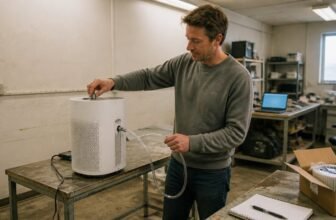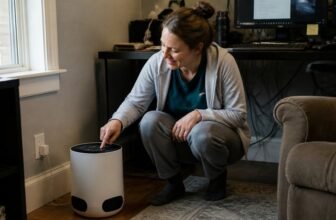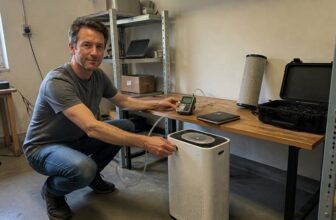
When dust, pollen, or pet allergens suddenly stop being filtered, a powered off air purifier is the first frustration you notice. The direct answer is that a failure to start usually points to a power supply problem, a damaged cord, or an internal board issue.
That said, the exact cause depends on your outlet’s condition and whether the safety interlock is seated properly. This article walks you through checking the outlet, the cord, and the filter cover alignment.
It also covers the fan connection and when to call for professional help. Before attempting any repair, contact the manufacturer for guidance.
Choose a unit that fits your room size when you replace this one.
Air Purify Highlights
- Start with a known working outlet and reset tripped breakers to rule out wall power issues.
- Swap out the power cord if it shows fraying, scorch marks, kinks, or bent prongs.
- Press the top filter cover until it clicks flush, since a loose cover blocks startup.
- Check that motor connector clips are snug and wiring insulation isn’t melted before replacing the board.
- Call Levoit support before taking anything apart, as a loose cover or bad cord may be the real fault.
Test the Wall Outlet First: Rule Out Power Supply Issues

Test the wall outlet before inspecting the air purifier itself. Plug a lamp or phone charger into the same outlet; if that device also stays off, the outlet is the problem, not the purifier.
Check the breaker panel for a tripped circuit, which can cut power to the whole room after a surge or voltage fluctuation, and reset it if needed. Then try a different wall outlet, preferably one on another circuit, since the Core 300 draws only 56 watts on standard 120V power.
If the purifier runs on the new outlet, you have avoided unnecessary disassembly and a possible repair bill. Eliminating wall issues first is fast and cheap, and it prevents you from opening a machine that works fine.
Inspect the Power Cord for Fraying or Exposed Wires
Check the power cord for fraying or exposed wires, a common cause of air purifier failure. Damage usually shows as scorch marks, visible copper strands, or cracked rubber, and you should grip the plug head, not the wire, when unplugging.
Run your fingers along the full cord length to feel for soft spots or bulges, and inspect the area near the base and plug for kinks that stress internal wiring. Check the prongs for bending, and sniff for burning plastic, which signals serious wear.
Replace a damaged cord entirely, since splicing it yourself is unsafe. Unplug the unit and swap the cord before using the purifier again.
- Look for kinks near the base or plug.
- Feel for soft spots or bulges along the cord.
- Check prongs for bending.
- Sniff for burnt plastic.
Check the Levoit Core 300 Filter Cover and Power Button
The filter cover on the top of the unit is the first thing to check when the device will not power on. If it is not seated perfectly flush, the safety interlock prevents startup, so press firmly around the edges until it clicks.
The power button can also become sticky or stuck after months of dust, and a quick, firm press usually resolves that issue. Even with a correct cover and working button, the outlet must match the model’s voltage requirement, such as 120V at 60Hz for North American units, so try an outlet in another room before assuming a deeper fault.
Signs Your Levoit Core 300 Power Board Has Failed
A Core 300 that stays silent while plugged into a known good outlet usually has a failed power board. Confirm the cord and filter cover are fine, and that the fan motor is seated properly, before you open the unit.
When those checks pass, the repair is a direct board swap that takes roughly half an hour. You need a screwdriver and a steady hand, but no soldering or special tools.
Diagnosing Power Board Failure
Diagnosing a failed power board starts with confirming the basics: the air purifier is plugged into a live outlet, the filter cover is closed properly, and the power button is pressed. Run a quick power cord test for frays or bends and check the outlet ground with a simple tester, since these two issues cause most no power cases.
If those pass, look for these signs. The unit shows no fan spin, no hum, no LED, and only a faint click when powered on.
The purifier works in another room’s outlet, which isolates a wall side fault. A burnt electronics smell near the cord entry point or visible scorch marks on the board’s underside after unplugging confirm the failure.
When these symptoms line up, the power board needs replacement. No shortcut fixes the board itself.
Replacement Repair Steps
Only a handful of symptoms separate a dead power board from a simpler wiring hiccup, so paying attention to the device’s last moments saves both time and cash. If the fan stopped mid-spin, or the unit ignores a fresh outlet, the board likely fried. Surge protectors and quality voltage adapters help, but they never shield everything. The fix takes 30 to 50 minutes, moderate difficulty, and zero soldering. Unplug first, then release two side tabs and slide the board out. Squeeze the connector clips, not the cables, because yanking breaks them. Replace with a genuine board suitable for your unit, typically found online for a modest price. Reassemble, plug in, and press power. If it hums, you win. If not, call support, but odds are you’ve solved the issue. Swap the board rather than shipping the whole unit.
Verify the Fan Motor Connection Before Replacing Parts
Check the motor’s wiring before replacing any parts on a nonworking air purifier. A loose connector or a snagged wire can cause the same symptoms as a failed power board, and fixing it takes minutes instead of the cost of a new component.
Unplug the unit, open the base, and inspect the connector clip on the motor for a snug seat. Gently tug each wire to find any that pull free or feel springy, and look near the fan housing for pinched, blackened, or melted insulation.
If the wires look intact, use a multimeter to test continuity across the motor leads. Zero resistance indicates the motor still works, so the fault likely sits elsewhere.
- Unplug the unit, then open the base and inspect the motor’s connector clip for a snug seat.
- Gently tug each wire, reseating any that pull free or feel springy.
- Look for pinched, blackened, or melted insulation near the fan housing.
- If wires look fine, test continuity across motor leads; zero resistance means the motor is alive.
That quick check prevents ordering a power board you do not need. Verify the fan motor connection first, as it is the cheap, logical step before replacing other parts.
Know When to Call Levoit Support Instead of DIY Repair
Blinking lights with an unresponsive control panel point to a faulty control board, while a touchscreen that only registers some taps usually needs a professional replacement. Calling Levoit Support at 1-888-726-8520 avoids the risk of a failed home repair that could void your warranty.
Unresponsive Control Panel
A control panel that goes dark or stops responding usually means the circuit board has failed, not that you made a mistake. Fixing a board yourself is rarely safe or effective, and poking at it can void your warranty or make the problem worse.
Call support instead of opening the unit if you notice any of these signs. A failed firmware update can leave the panel unresponsive, and a burning smell or buzzing sound points to a capacitor failure that needs professional handling.
- Power reaches the unit, but no button press registers.
- Your own troubleshooting attempts make the display flicker or stop entirely.
Levoit offers free phone support at 1-888-726-8520, which costs less than your time and a replacement screwdriver. If the issue is not a loose cord or a dead outlet, send the unit back rather than tinkering with the control board.
Worn Touchscreen Face
After enough pokes and prods, the touchscreen face on your Levoit Core 300 can wear down and lose its responsiveness to gentle taps. That is membrane degradation, where the thin layer between your finger and the sensors becomes less sensitive to button presses.
If the lights still glow but taps do nothing, call Levoit Support instead of opening the unit. Their number is 1-888-726-8520, Monday through Friday, 9 to 5 Pacific.
Replacement parts run around $20, but a botched DIY repair can damage the unit further. A worn face means a support call is the safer option.
Expert Replacement Required
Some power system repairs are better left to trained technicians, because opening the chassis without proper training can create a fire hazard even after the unit is unplugged. The control board retains an electrical charge, and using a standard multimeter can mislead a DIYer into thinking the system is safe to handle.
Replacement boards from the manufacturer cost about $35 to $50, while professional service runs $60 to $90, which is often less than buying a new purifier. Contact the manufacturer’s support line before attempting any disassembly, since their technicians can complete the swap in about 30 minutes.
A dead air purifier is safer than a damaged outlet, so leave the power system to the professionals. If you need a reference, call Levoit support at 1-888-726-8520.
Frequently Asked Questions
Can a Surge Protector Cause the Levoit Core 300 to Fail?
A surge protector can fail from surge damage or dirty power, and that failure may send inconsistent voltage to your Levoit Core 300, stressing its power board and preventing it from operating. Test the purifier on a direct wall outlet to see if it runs normally.
If it works there, the protector is likely the culprit. Check the protector’s condition and replace it if it shows signs of damage. Always follow the purifier’s manual for electrical safety and the manufacturer’s guidance on proper power sources. Consult a qualified electrician if you suspect building wiring issues.
How Do I Test if My Outlet Is Actually Grounded?
Approximately 15% of US homes have outdated or faulty grounding, but you can test your outlet safely in minutes. Use an outlet tester to reveal wiring faults instantly, then a voltage meter to confirm ground wire continuity from the ground slot to a known earth reference.
If either device indicates a problem, your outlet fails basic safety standards. Treat the issue as urgent and call a qualified electrician rather than attempting DIY repairs. Electrical work carries serious shock and fire hazards, so professional diagnosis and correction are the only safe paths forward.
What Does the Reset Button on the Power Cord Do?
The reset button on the power cord is a safety switch that trips and cuts power when it detects an electrical fault. Pressing it back in restores power only after the cause of the trip has been resolved.
This resets the internal circuit breaker, not the air purifier’s settings or filter status. If the button trips again right away, stop using the unit and check the manufacturer’s instructions for electrical troubleshooting.
Is It Safe to Use an Extension Cord Temporarily With This Purifier?
Yes, temporary extension cord use is acceptable if the cord is properly rated for the purifier’s electrical load. However, a longer cord increases voltage drop, which can reduce motor performance and airflow.
Use the shortest possible heavy gauge cord for safe, temporary operation. A thicker cord minimizes resistance, so the purifier gets consistent power. For any electrical safety concerns, follow the manufacturer’s instructions for extension cord use.
Does a Tripped Circuit Breaker Reset Itself After Replacing the Filter?
A tripped circuit breaker will not reset itself after you replace the filter. You must manually reset the breaker to restore power to the air purifier.
If the breaker trips again after resetting, the problem is not the filter. This cycling points to a persistent electrical issue with the unit or your home’s wiring. Also inspect the power cord for wear or damage, since a frayed cord can prevent operation just as easily. Check both the breaker and the cord before assuming the device is safe to run.
Rounding Up
Check the filter cover and power cord first, since a loose connection or unsealed cover will often stop the unit completely. Verify the outlet works with another device before considering internal parts, as a dead wall socket is the simplest cause.
If those checks pass and the fan still does not move, the power board inside is the likely fault. Do not attempt to open the chassis or repair electrical components yourself, and follow the manufacturer’s instructions for any service or warranty claim.
Contact official support, since a non responsive unit after basic checks usually needs a professional replacement part. That call is the final step before deciding on a replacement unit.